How Bitkey Works
Why Bitkey doesn’t have a seed phrase
“Not your keys, not your coins” is the mantra at the core of self custody. Somewhere along the way, “keys” and “seeds” became conflated, but they’re not the same thing. Private keys are the core of self custody. A seed phrase is just one way of thinking about recovery—one that we think introduces more problems than it solves.More specifically, a seed phrase is a 12- or 24-word backup created when you set up most self-custody wallets. It’s the typical recovery tool for most bitcoin wallets, whether hardware or software. Seed phrases make it relatively easy for you to recover your wallet when something goes wrong, but it also makes it easy for anyone else to do that, too. We’ve seen seed phrases lost, stolen, tossed in the trash, and burned in fires. We’ve heard from people too nervous to set up a self-custody wallet because they don’t trust themselves to store one phrase forever. It’s a single point of failure and represents a fundamental weakness of prevailing self custody models (read this article for more detail). Seed phrases are hard to manage, easy to lose, and attractive targets for even low-tech scammers. That’s why Bitkey uses an entirely different recovery model: our 2-of-3 multisignature wallet has a unique key distribution system to help customers recover their bitcoin if they lose their phone, hardware device, or both, without the stress of a seed phrase—all while maintaining personal ownership of the quorum of keys necessary to be true self custody.
How Bitkey multisignature works
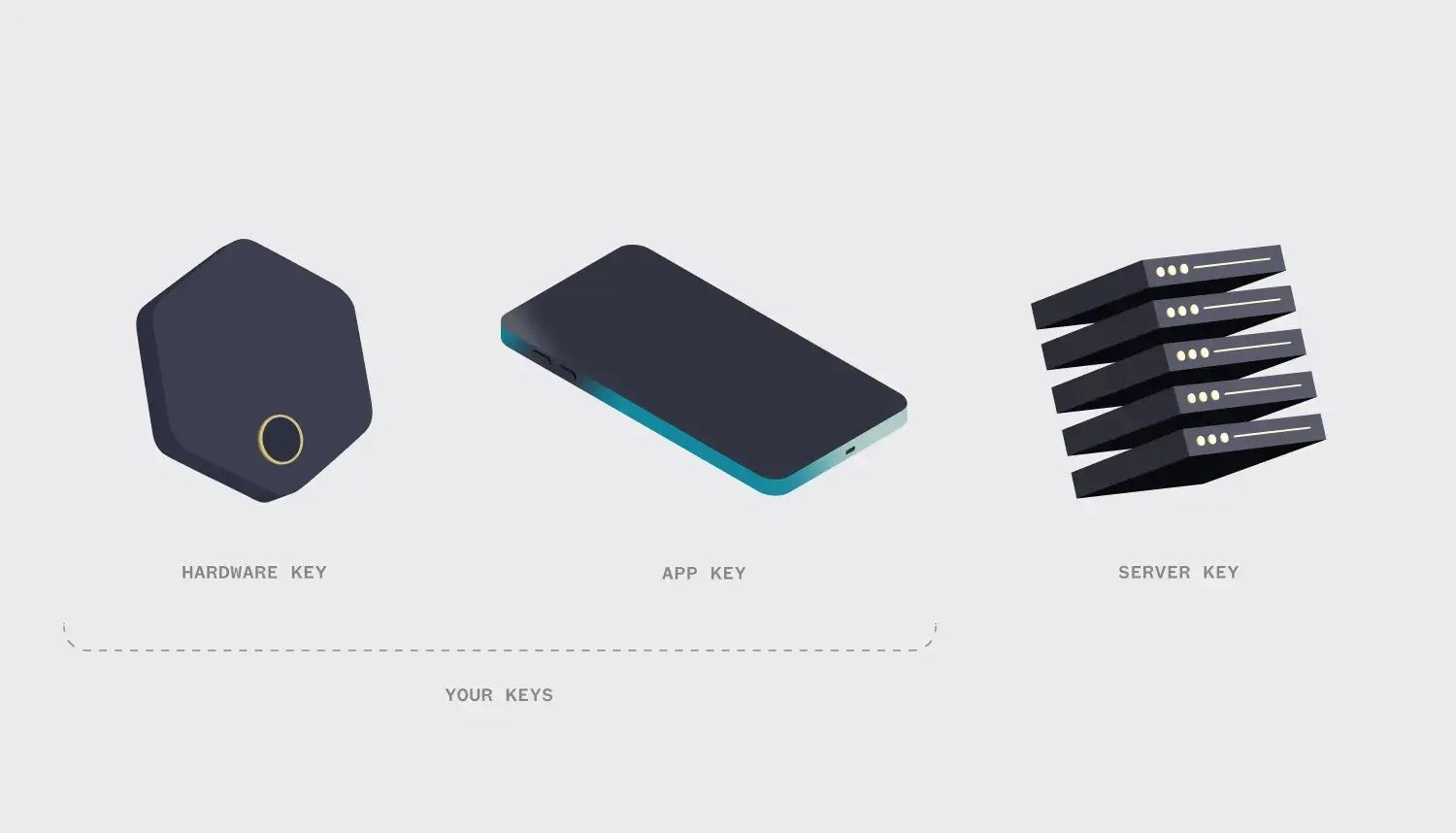
Most hardware and software wallets are single-signature (singlesig), meaning they put all their trust in a single, powerful key to sign transactions. That key—and perhaps even more so its seed phrase backup—is a prime target for attackers and a pretty big liability for singlesig users.
Instead of relying on one powerful key, Bitkey is a 2-of-3 multisignature (multisig) wallet, which means there are three keys protecting your money. One key is on your mobile device, one in your hardware device, and one held for you on the Bitkey server. You always need two out of three keys to sign a transaction. And because Bitkey only holds one key for you, and you hold two, you can always move your money without Bitkey, but Bitkey can’t move your money without you. The server key is intended for use in 1) recovery scenarios and 2) an opt-in Transfer without hardware feature, which allows you to spend up to a set daily limit of your choosing. Our unique key distribution system also means you can use two out of the three keys to recover your wallet if you lose something, without having to rely on a seed phrase. We believe this setup makes it easier to securely hold and use your funds on your own, harder for you to lose access to your wallet, and harder for an attacker to gain access to your stack. It also opens up more recovery routes and makes processes like passing on your bitcoin to beneficiaries possible.
Bitkey recovery if you lose your phone
If you lose or replace your phone, you can use your Bitkey hardware key (fingerprint protected), together with the Bitkey server, to easily regain access to your wallet.You just download the Bitkey app onto a new phone and sign in to your cloud account via Google Drive or iCloud. Once you’re signed in to your cloud account, unlock your hardware and tap to your phone to unlock the encrypted app key backup and recover your wallet on your new phone. (Since your backup is encrypted, and can only be decrypted with your unlocked, physical device, it is safe to store in the cloud.)If you’ve lost your phone and also happen to lose access to your cloud backup at the same time, you can use your Bitkey hardware key (fingerprint protected), together with the Bitkey server, to recover your funds. However, since your app key and its backup are lost, you need a new wallet, with three new keys, to sweep your funds into. Bitkey handles all of this in the background with just a few taps of your hardware.You just download the Bitkey app onto a new phone, pair your existing hardware, and tap a button to begin the recovery process. You will then enter a 7-day security waiting period, during which you receive security notifications via SMS, email, and/or app notifications to confirm you’ve requested this recovery.Once the 7-day waiting period is up you can approve the transaction to sweep the funds from your old wallet to your new wallet. You pay a network fee to make the transaction on the blockchain. Read our Recovery features whitepaper for a technical deep dive on all recovery methods.
Bitkey recovery if you lose your hardware
If you lose your hardware, you can use your app key, together with the key on Bitkey’s server, to set up a new hardware device and recover your bitcoin to a new wallet. You just open your Bitkey app and tap a button to replace your hardware. Order a new Bitkey hardware device and pair it with your phone. You then enter a 7-day security waiting period, during which you receive security notifications via SMS, email, and/or app notifications to confirm you’ve requested hardware recovery.Once the 7-day waiting period is up you can approve the transaction to sweep the funds from your old hardware to your new hardware. You pay a network fee to make the transaction on the blockchain. Read our Recovery features whitepaper for a technical deep dive on all recovery methods.
Bitkey recovery if you lose your phone and hardware
If you lose both your hardware and your phone at the same time (the “lost both” problem), you can regain access to your wallet with help from one of your Recovery Contacts. When you set up your Bitkey, you’re prompted to set up Recovery Contacts in the app. These are people you know and trust who can verify your request in the scenario where you’ve lost everything. When a Recovery Contact is set up, they help you create an encrypted backup of your mobile key, without ever having access to any information about your keys, balance, or transactions. If you lose your phone and hardware, you download the Bitkey app onto a new phone and share a code with your Recovery Contacts, allowing them to verify your request. In their Bitkey app, your Recovery Contact has the secret required to decrypt your backup key (but since you control the backup key in your cloud, they have no way of accessing it). Their only real job in the process is to confirm that you are you. Once they’ve done that, you can decrypt your recovered app key from your cloud account and complete the process to replace your hardware device.Your Recovery Contact CANNOT access your wallet, any information about your wallet, or your spending key at any point. What they can do is help verify your request and share the decryption secret with you so you can recover your wallet if you lose your phone and hardware. Read our Recovery features whitepaper for a technical deep dive on all recovery methods.
How Recovery Contacts work
Recovery contacts help verify your request if you lose both your phone and hardware at the same time, so you can recover your wallet. At a very high level, Recovery Contacts are able to help you encrypt and decrypt a backup of your key, without ever seeing the key itself. You always control your key and the backup of your key. By helping you encrypt the key at setup, they can again help you decrypt it if you lose your phone and hardware. They DO NOT hold your spending key, just their own encryption key that encrypts backup. You always control the encrypted backup in your cloud account.Your Recovery Contact CANNOT access your wallet, any information about your wallet, or your spending key at any point. Read our Recovery features whitepaper for a technical deep dive on all recovery methods.
What if Bitkey goes down?
In the extreme and unlikely case that Bitkey is no longer available (or you just want to move your funds without Bitkey’s involvement and exercise your financial sovereignty), you can independently move your funds, without relying on Bitkey’s server key or the availability of the Bitkey app at all using the Emergency Exit Kit (EEK)—an encrypted version of your app key in PDF form that is generated at setup and stored in your cloud account.The EEK makes it so that you are always in full control of two private keys, and both of those keys are accessible without any reliance on Block or our servers. If Bitkey (servers, app, or both) were ever unavailable (or if you simply choose to move your funds independently), you can do so entirely, using your two keys to create and sign a transaction.One key lives on your hardware device, which can communicate with any third-party software over NFC. The other is included in the Emergency Exit Kit PDF stored in your cloud account, which contains your encrypted app key. To move your funds, you simply download the PDF, decrypt its contents using the hardware, create a transaction, and sign with both keys. Block provides open-source software to automate this process, accessible via the QR code in the Emergency Exit Kit, but you’re free to use, modify, or build your own tools.
Inheritance
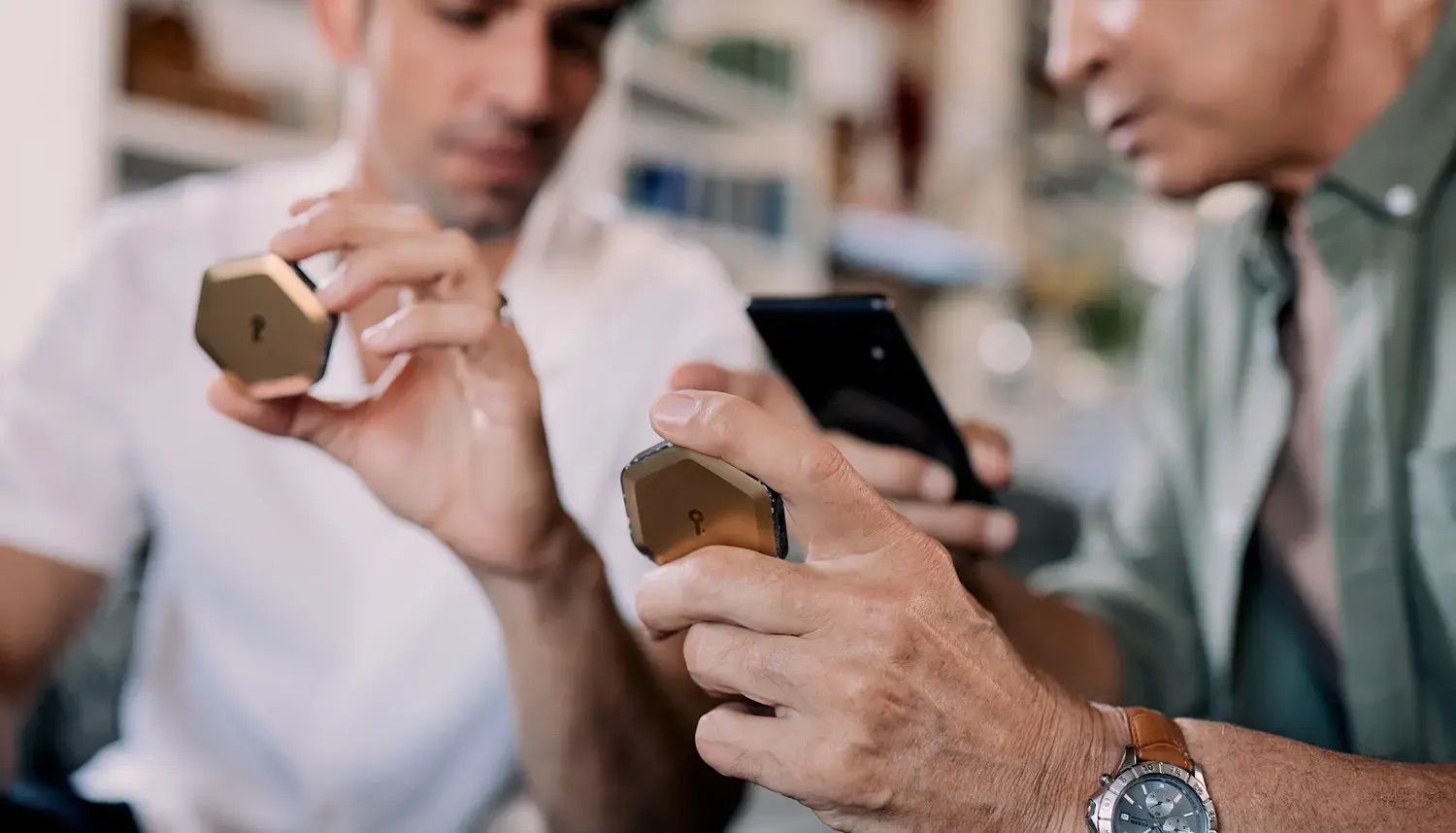
Bitkey's inheritance feature is designed to make passing on your bitcoin easy and secure. To set up inheritance, go into your Bitkey app and add a beneficiary. Your beneficiary needs to have their own Bitkey app and hardware device (to enable them to receive funds in the event of a claim). They then accept your invitation to become a beneficiary in their app. Until a claim has been processed, your beneficiary never has access to your keys, your bitcoin, or any information about your wallet or balance. When the appropriate time comes, your beneficiary can initiate a claim from their own Bitkey app. Once the process is initiated, a 6-month security waiting period starts, during which Bitkey attempts to notify you, the primary user, that an inheritance claim is being made (via the channels you have opted into, which may include push notification, email, and/or SMS). You, the primary user, can cancel any inheritance attempt if you’re still active, preventing premature access. After the 6-month waiting period expires, the claim is processed and your beneficiary receives the funds. This happens by passing one of the original wallet’s keys (the app key) to the beneficiary. When the inheritance was first set up, the app key was encrypted in a way that only the beneficiary can decrypt. Bitkey holds the encrypted version, but cannot unlock it or use it.When the time comes to process the claim, Bitkey simply delivers this encrypted key to the beneficiary. Now, with that key in hand, the beneficiary controls one of the original wallet’s two signing keys. Bitkey can then co-sign a transaction using its server key, allowing the funds to be moved to the beneficiary’s wallet. At no point does Bitkey ever have control of the funds. Its role is limited to securely passing along information it cannot decrypt and co-signing only when appropriate.This arrangement avoids common pitfalls in traditional hardware wallet inheritance approaches. Unlike sharing seed phrases with family members, which can be insecure and reveal wallet balances, or leaving behind complex instructions that may be lost or misunderstood, this setup ensures that only the intended beneficiary can access the key material.